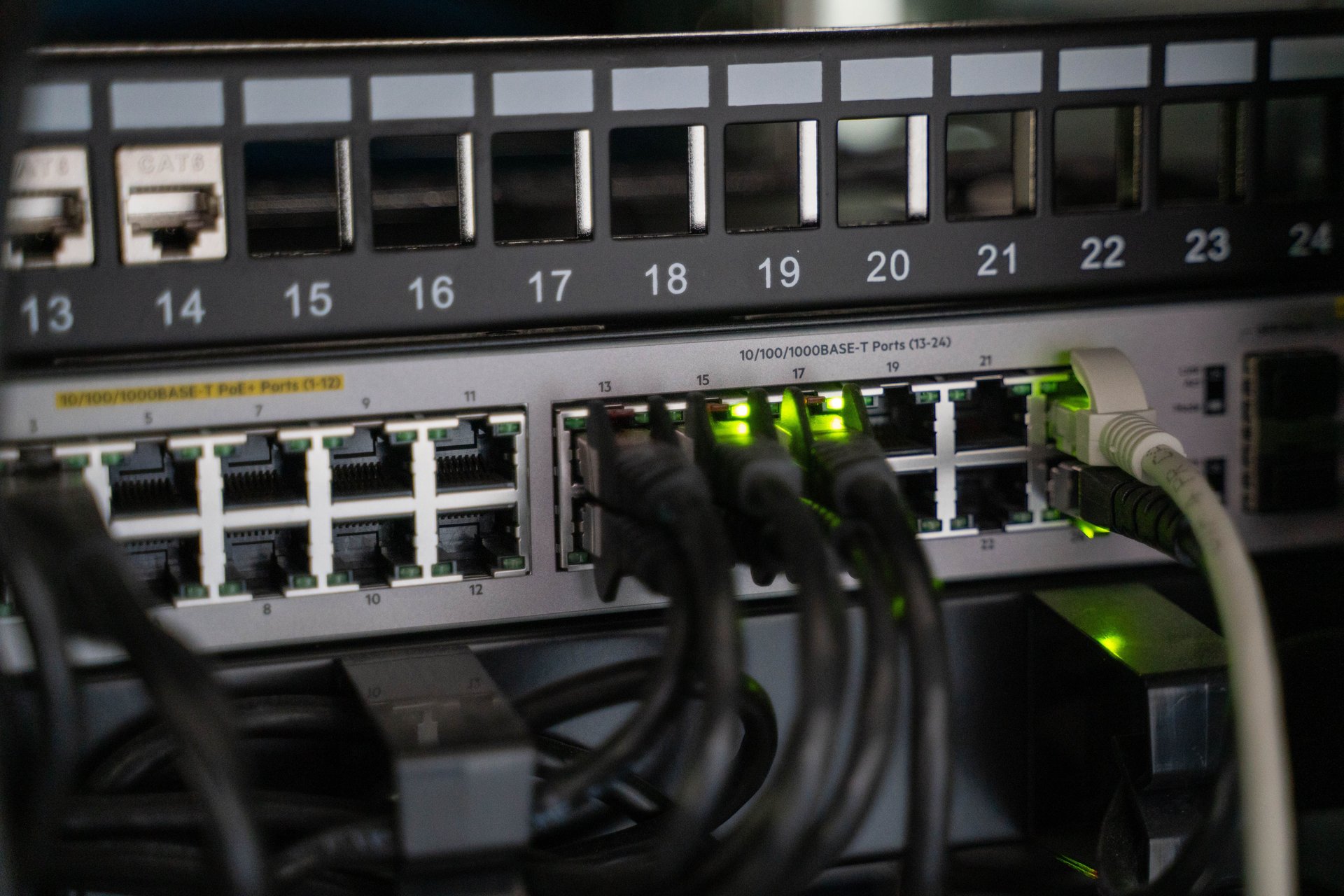
PoE sounds technical. PoE = Power over Ethernet. It’s the ability of a single Ethernet cable to carry both data and electricity to an endpoint device.
If you run a retail store with ceiling-mounted IP cameras, deploy Wi-Fi access points for staff and customers, or have VoIP phones in your offices, you probably already use PoE without realizing it. And if you’re planning a new install, understanding PoE saves you thousands on dedicated electrical cabling and hours of installation labor.
What PoE actually does
A standard Ethernet cable (the same RJ45 connector that links your laptop to your router) contains 8 internal wires organized into 4 twisted pairs. Normally only 2 pairs carry data. PoE uses the other pairs — or all 4 — to send low-voltage DC power to the endpoint device [IEEE 802.3bt-2018 standard, https://standards.ieee.org/ieee/802.3bt/6749, accessed 2026-08].
That means your IP camera, your access point, or your VoIP phone receive:
- Data (the network signal)
- Power (48V DC, similar to a laptop charger)
- …all through one cable
You don’t need a power outlet near the device. You don’t need an electrician running dedicated AC wiring. If you have a PoE switch (or a mid-span PoE injector), you run one Ethernet cable from the switch to wherever you want the device.
The three generations of PoE that exist today
The IEEE 802.3 standard defines three generations of PoE, each delivering more power than the last [Perle technical note, https://www.perle.com/supportfiles/poe_background_technical_note.shtml, accessed 2026-08]:
-
PoE (IEEE 802.3af) — since 2003: up to 15.4W from the switch. Enough for basic VoIP phones and fixed IP cameras without strong IR [TP-Link Omada standards guide, https://www.omadanetworks.com/us/blog/2595/poe-vs-poe+-vs-poe++-power-over-ethernet-standards, accessed 2026-08].
-
PoE+ (IEEE 802.3at) — since 2009: up to 30W from the switch. Covers IP cameras with strong IR, Wi-Fi 5/6 access points, and most modern enterprise gear [Perle technical note, https://www.perle.com/supportfiles/poe_background_technical_note.shtml, accessed 2026-08].
-
PoE++ (IEEE 802.3bt, Type 3 and Type 4) — since 2018: up to 60W (Type 3) or 100W (Type 4) from the switch. Uses all 4 pairs simultaneously. Required for Wi-Fi 7, PoE-powered 4K displays, LED lighting, and high-power PTZ motors [IEEE 802.3bt-2018, https://standards.ieee.org/ieee/802.3bt/6749, accessed 2026-08].
What generation do you need? If you’re buying gear in 2026, assume PoE+ minimum. PoE++ is for specialized equipment.
Which devices use PoE today
The list is longer than most people expect [Symmetry Electronics device list, https://www.symmetryelectronics.com/blog/a-list-of-devices-that-can-be-powered-with-poe/, accessed 2026-08]:
- IP cameras (network security cameras, not old analog CCTV)
- Wi-Fi access points (office, retail, warehouse)
- VoIP phones (desk phones in offices)
- Smart LED lighting (offices, retail)
- Access control systems (card readers, electronic locks)
- Digital signage displays (menu boards in restaurants, retail signage)
- IoT sensors (temperature, occupancy, air quality)
- IP speakers (in retail and offices)
If your new install has more than 3-4 devices on the ceiling or in locations without nearby outlets, PoE pays for the switch in months vs. hiring an electrician to run dedicated power to each location.
How the handshake works — the part that makes it safe
A common concern: “if I plug something non-PoE into a PoE port, will it fry?”
No. PoE has a detection mechanism that prevents that. Before sending power, the switch (or PoE injector) sends a low-voltage signal (between 2.7V and 10.1V) looking for a specific 25 kilo-ohm resistance signature on the endpoint device [poepower.net detection reference, https://www.poepower.net/detection.html, accessed 2026-08]. Only if the device responds with that resistance signature does the switch ramp the voltage up to 48V. If there’s no response, the switch treats the port as data-only and never sends power.
That means:
- ✅ Plugging a laptop or PC into a PoE port is safe — the laptop doesn’t have the 25kΩ signature, so no power gets sent
- ✅ Devices that are PoE-capable negotiate how much power they need (15.4W, 30W, 60W, or 100W based on their class)
- ⚠️ Cheap “passive PoE injectors” that send 48V without the handshake can damage non-PoE devices — avoid them unless both the injector and the device are from the same manufacturer and explicitly declare passive PoE compatibility
What cable you need
PoE works over any Cat5e or better Ethernet cable [Phihong cable guide, https://www.phihong.com/poe-cables-choosing-the-best-network-cables, accessed 2026-08]. That includes:
- Cat5e: minimum for PoE/PoE+ (up to Gigabit, 100MHz)
- Cat6: recommended for PoE+ (10 GigE up to 55m)
- Cat6A: required for PoE++ Type 3/4 (10 GigE to 100m, better DC resistance unbalance handling)
The maximum distance is 100 meters from switch to device, per IEEE 802.3 [Vcom cable distance reference, https://www.vcom.com.hk/shows/169/620.html, accessed 2026-08]. Beyond that, signal degrades or there isn’t enough voltage to power the device reliably.
If you’re installing new cable, pull Cat6A everywhere — the cost premium over Cat6 is minimal, and it gives you headroom for the next 10 years as more devices go PoE++.
When PoE doesn’t make sense
PoE isn’t for everything. Cases where NOT to use it:
- Devices requiring more than 100W (some large displays, mini-servers) — not standardized yet
- Devices that already have their own dedicated power supply and are near an outlet
- Installations where existing Ethernet cable is Cat3 or older (unlikely in 2026, but possible in very old buildings)
- When in doubt between a cheap passive injector vs. certified active PoE gear — always choose certified
How to start if your installation is new
- Buy a PoE+ switch with at least double the ports you need today (for growth). For 5-10 IP cameras + 3-5 access points, a 16-24 port PoE+ switch is sufficient.
- Pull Cat6A cable from the switch to each device location. Hire a structured cabling installer, not an electrician.
- Verify your devices accept PoE+ or better. The datasheet will say “802.3at” or “802.3bt” in the power section.
- If you have devices in locations where cable runs aren’t practical (e.g., a camera in a historic façade where you can’t open walls), evaluate a local certified PoE injector from the same vendor as the device.
The difference between a well-done PoE installation and a poor one is exactly the same as between properly insulated electrical wiring and exposed wire: in the first case it works 10 years without anyone touching it; in the second, you get intermittent failures nobody can diagnose.
Closing thought
PoE is the simple answer to “how do I get data and power to a ceiling-mounted device without running two cables.” If you’re planning an IP camera or Wi-Fi installation in a store, restaurant, office, or gas station, PoE+ is the minimum standard in 2026 and it’s worth getting your installer to certify it in writing.
Have a specific installation question? The contact form is bilingual and takes 30 seconds: Contact tv4agent.
Sources cited in this post: IEEE 802.3bt-2018 standard (IEEE Standards Association), Perle technical note (Perle), TP-Link Omada educational guide (TP-Link), Phihong cable guide (Phihong), AMPCOM cable categories (AMPCOM), Vcom distance reference (Vcom), poepower.net detection reference (poepower.net), Reolink PoE devices 101 (Reolink), Symmetry Electronics device list (Symmetry Electronics). Every quantitative claim in the article body links to its source.
Sources
[1] IEEE 802.3bt-2018 Amendment — Physical Layer and Management Parameters for Power over Ethernet over 4 pairs — https://standards.ieee.org/ieee/802.3bt/6749 [2] Perle — A Background on Power Over Ethernet (PoE, PoE+ & Hi-PoE) — https://www.perle.com/supportfiles/poe_background_technical_note.shtml [3] TP-Link Omada — PoE vs. PoE+ vs. PoE++: Power over Ethernet Standards — https://www.omadanetworks.com/us/blog/2595/poe-vs-poe+-vs-poe++-power-over-ethernet-standards [4] Phihong — PoE Cables: Choosing the Best Ethernet Cables — https://www.phihong.com/poe-cables-choosing-the-best-network-cables [5] AMPCOM — Ethernet Cable Categories: Cat5e to Cat8 Explained — https://www.ampcom.com/blogs/industry-information/ethernet-cable-categories-cat5e-to-cat8-explained [6] Vcom — Why Can’t Ethernet Cables Exceed 100 Meters? — https://www.vcom.com.hk/shows/169/620.html [7] poepower.net — PoE Detection — https://www.poepower.net/detection.html [8] Reolink — PoE Devices 101: Types, Benefits, and Installation Guidance — https://reolink.com/blog/poe-devices-101-types-benefits-and-installation-guidance/ [9] Symmetry Electronics — A List of Devices That Can Be Powered With PoE — https://www.symmetryelectronics.com/blog/a-list-of-devices-that-can-be-powered-with-poe/